
Transforming How You Purchase and Manage Inventory
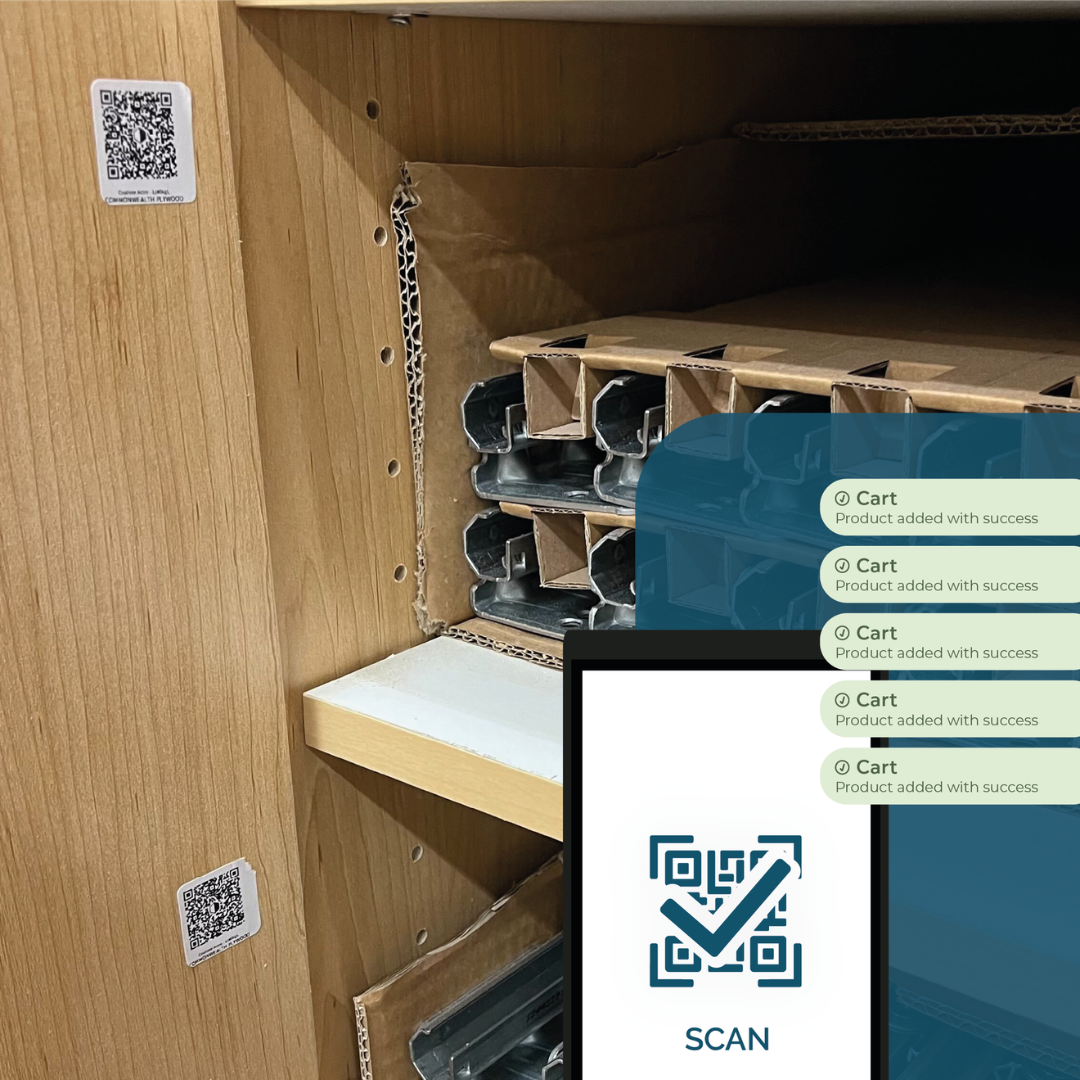
In B2B purchasing and inventory management, speed, accuracy, and simplicity are crucial. Traditional processes that rely on emails, calls, and manual validations are time-consuming and prone to errors, costing both time and money. This is where Cieblink QR codes make a real difference, changing the way businesses restock their inventory.
An Automated Kanban-Inspired Workflow
The Cieblink QR code functions like an automated Kanban system. Each product that needs restocking can be scanned and automatically added to the purchasing flow, ensuring time savings for both the buyer and operational teams. Fewer errors occur, and the purchasing workflow becomes continuous and seamless.
How the Cieblink QR Code Works
The Cieblink QR code is more than just a scannable code. It enables automatic inventory replenishment in three simple steps:
- Scan – Employees on the factory floor or in the showroom identify a product that needs restocking.
- Add Automatically – The product is immediately added to the buyer’s shopping cart with the exact pre-set quantities.
- Confirm – The buyer validates the purchase order and confirms the delivery details with the supplier.
With this process, every product is tracked in real time, giving the buyer complete visibility while eliminating unnecessary communication and transcription errors.
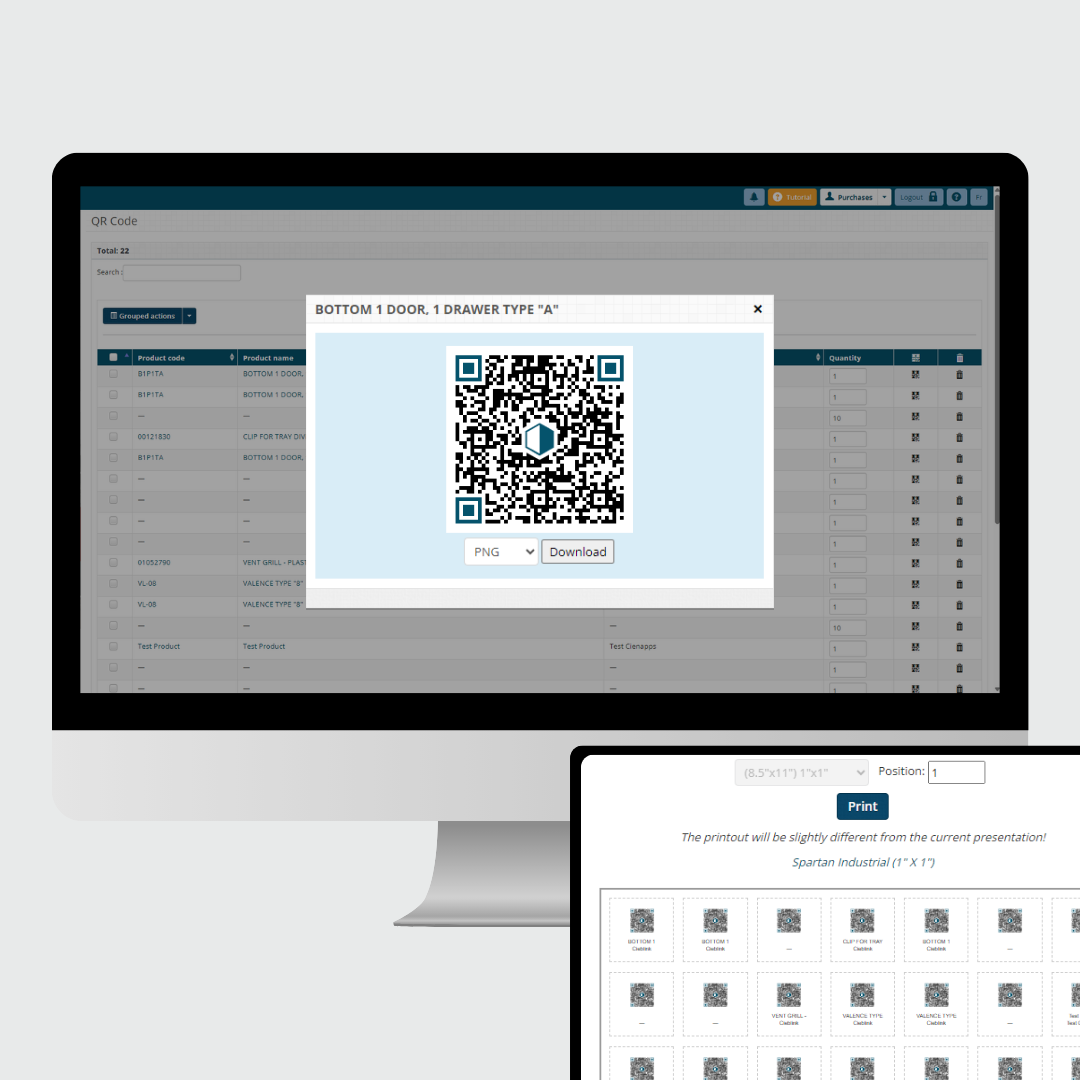
With Cieblink, you can generate a QR code for each product and set the desired quantities. Once created, you can print all the codes and place them in your warehouse for easy scanning and restocking.
Here’s how to create your QR Code in Cieblink
Why You Should Adopt Cieblink QR Codes
The Cieblink QR code is not just a handy tool, it’s a complete transformation of your purchasing workflow. It allows you to restock quickly, maintain full inventory control, and simplify life for both buyers and operational teams.